

Medical module
Injuries and illnesses in one place — status, expected return, diagnosis, and history.
Every injury and illness an athlete has had, kept as one record each — and on the group screen, the answer to the question asked before every session: who can train today?
Where to find Injuries & Illnesses
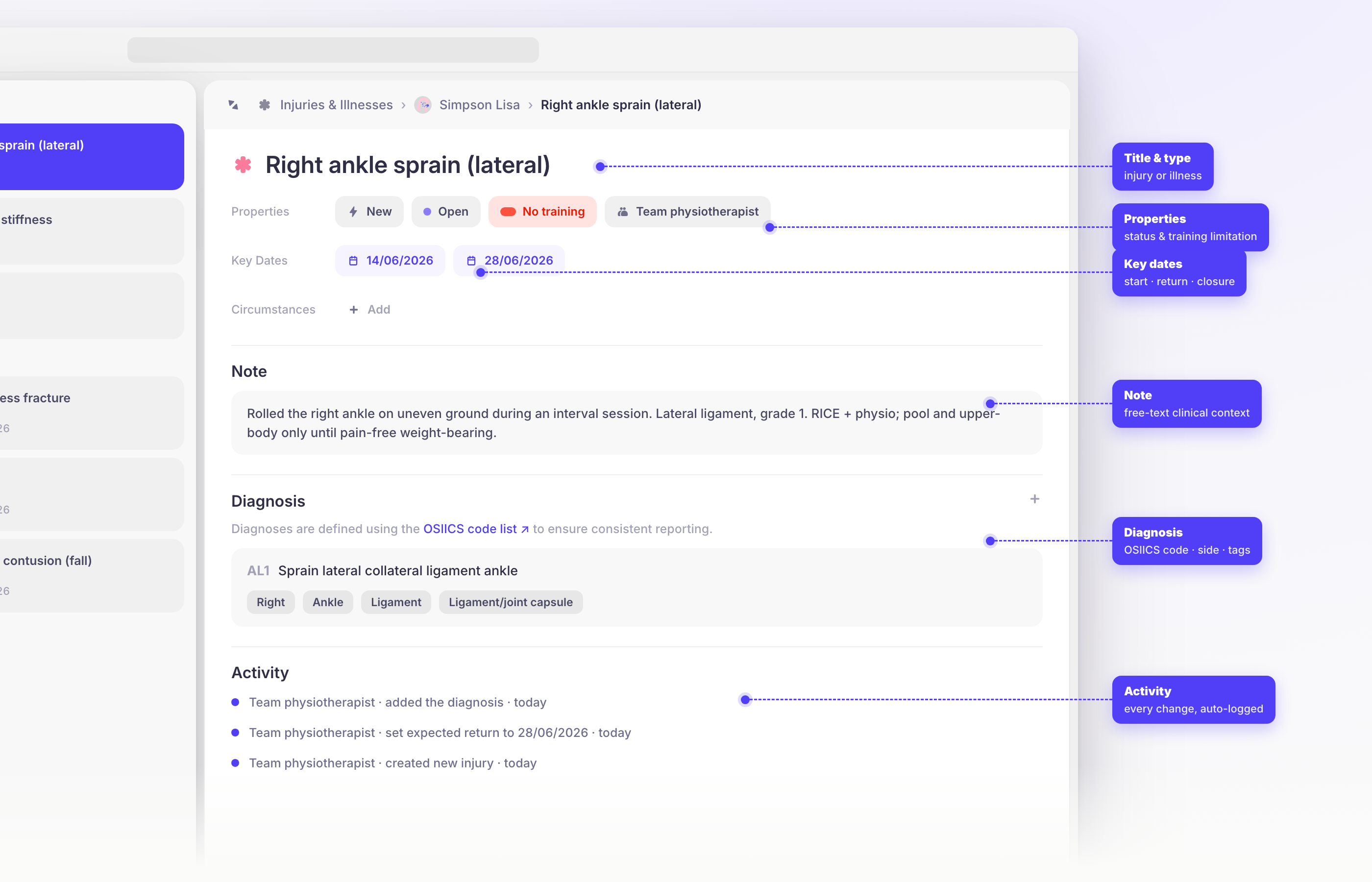
Open the Medical module from the main menu. As a coach or medical staff member, pick one of your groups and then an athlete, or choose Entire Group to see that squad at once. As an athlete, you go straight to your own records, if your team gives you access to them.
Who can train today
The group overview is one row per athlete, and it's the screen you'll use day to day. Each row carries:
- a status pill — the athlete's worst current Injury status, the field that says how much they can do right now, across everything they have open. Green means full training, which is not the same as an empty record: an athlete can be back in the session with an injury still open;
- their open health problems, each with an icon marking it as an injury or an illness;
- the expected return to full training, or a dash when no date has been set. A date that has passed turns red and says how many days overdue it is.
An athlete with nothing open still gets a row, marked No health problems.
Log an injury or illness
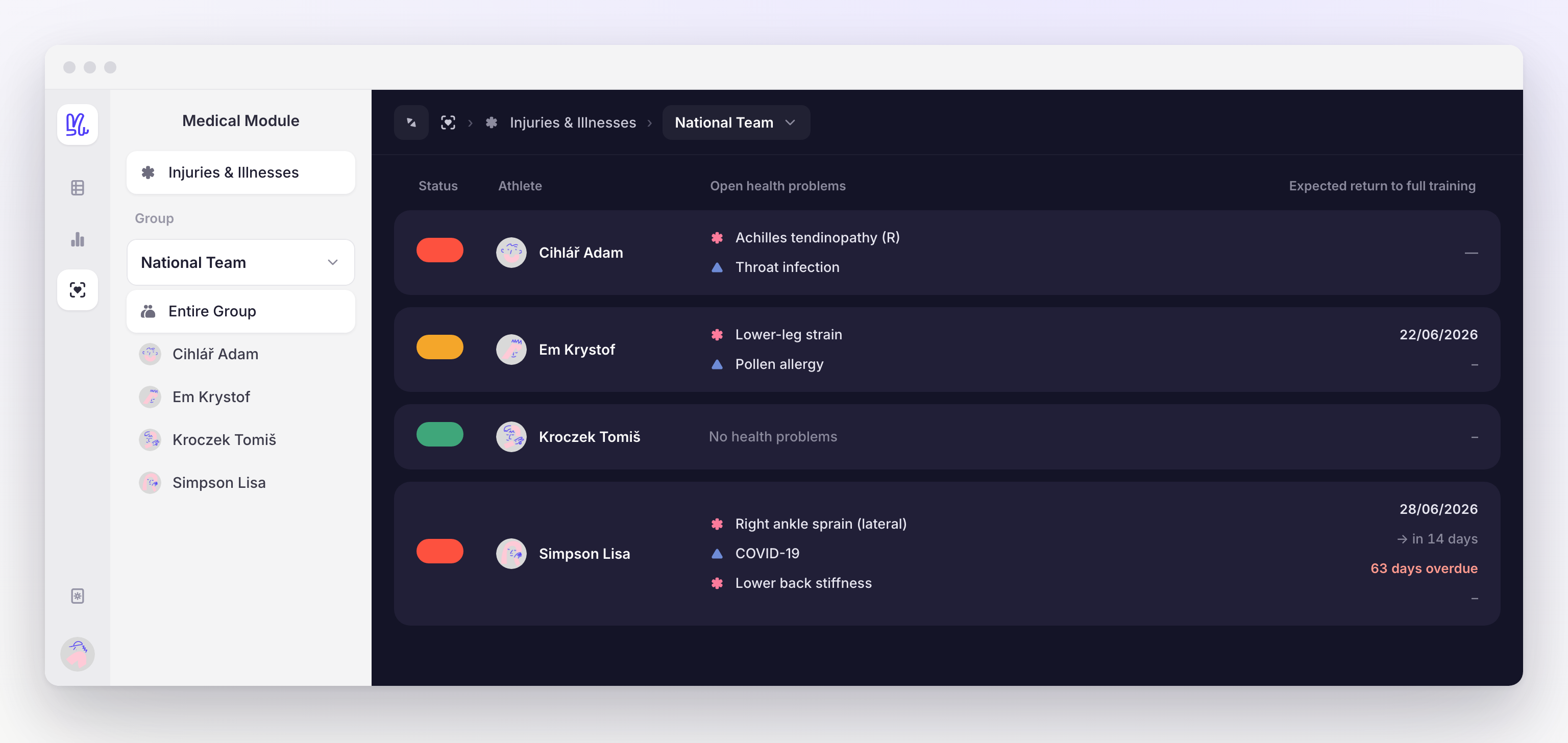
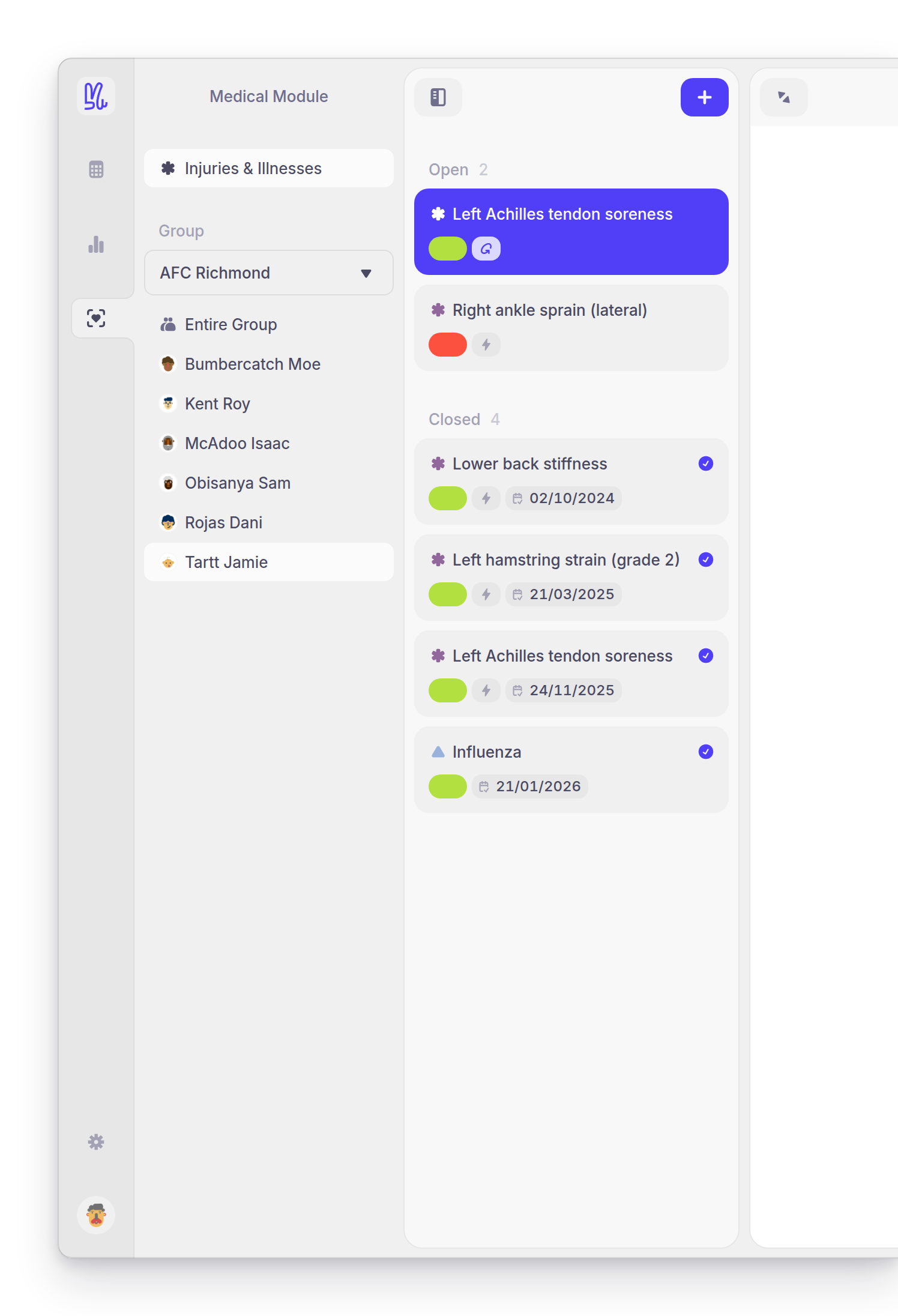
Select + (Add record) above the athlete's record list, and choose Injury or Illness.
The record opens straight away, ready to edit. Type over the placeholder title.
Set the Injury status first — it's the field the rest of Yarmill reads — then the dates, the diagnosis, the circumstances, a note, and whoever is looking after it. There's no Save: everything auto-saves, and every change is written to Activity.
A new record starts with its Date of injury set to today, its Treatment status at Open, its Classification at New, and its Injury status at Modified training for you to correct.
Or log it in seconds with New record
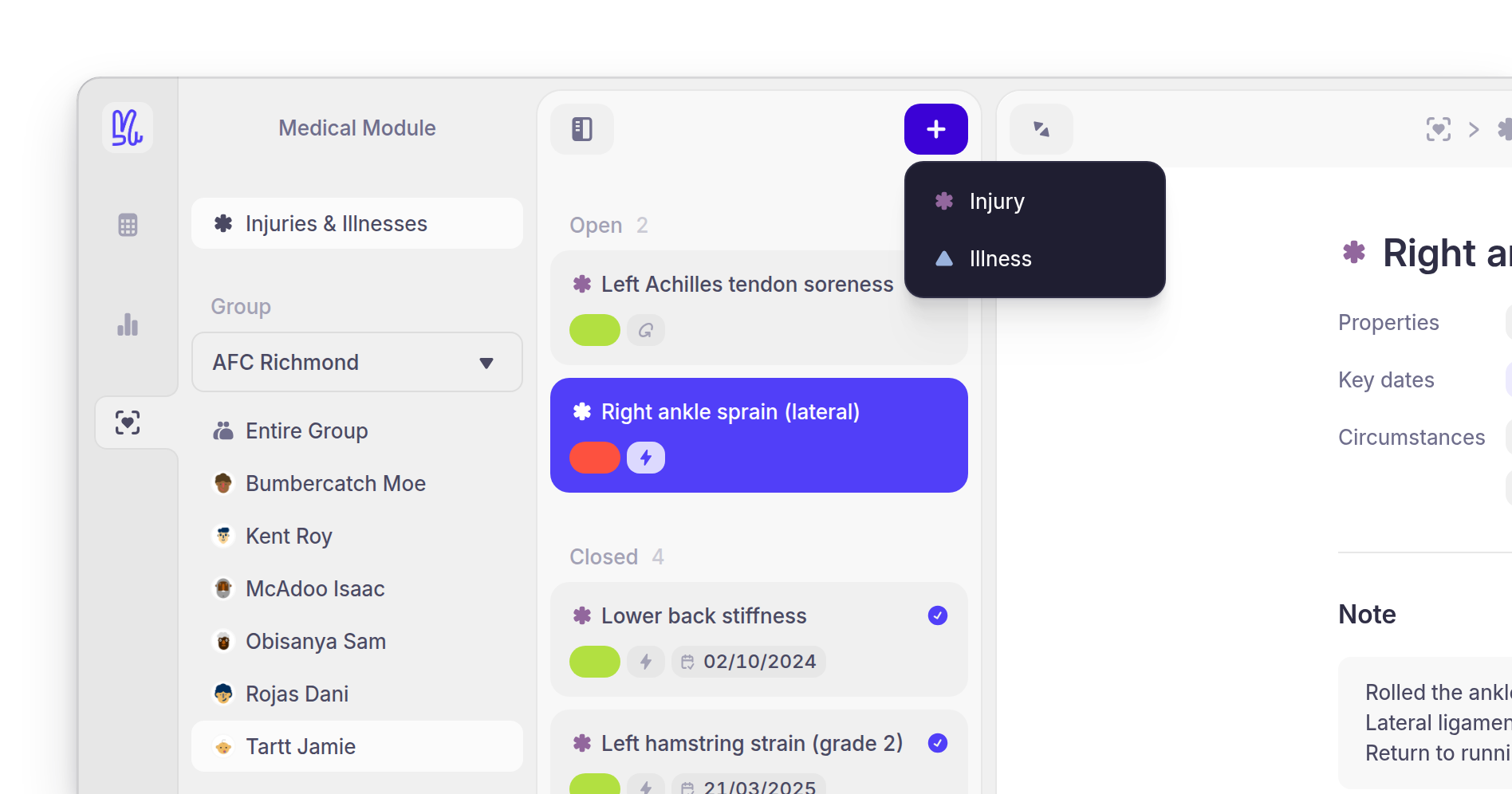
New record in the tool bar — or the N shortcut — opens a short dialog instead of the full record. It takes only the essentials: the Record type, a name, the Status, the Date of injury, and any files you already have. It's the one to reach for pitch-side, when the point is to get the group screen right today and fill in the clinical detail later.
It's also the one place in the module that waits for you: Save commits it, Open full detail commits it and takes you into the record, and closing the dialog without either discards it.
What a record holds
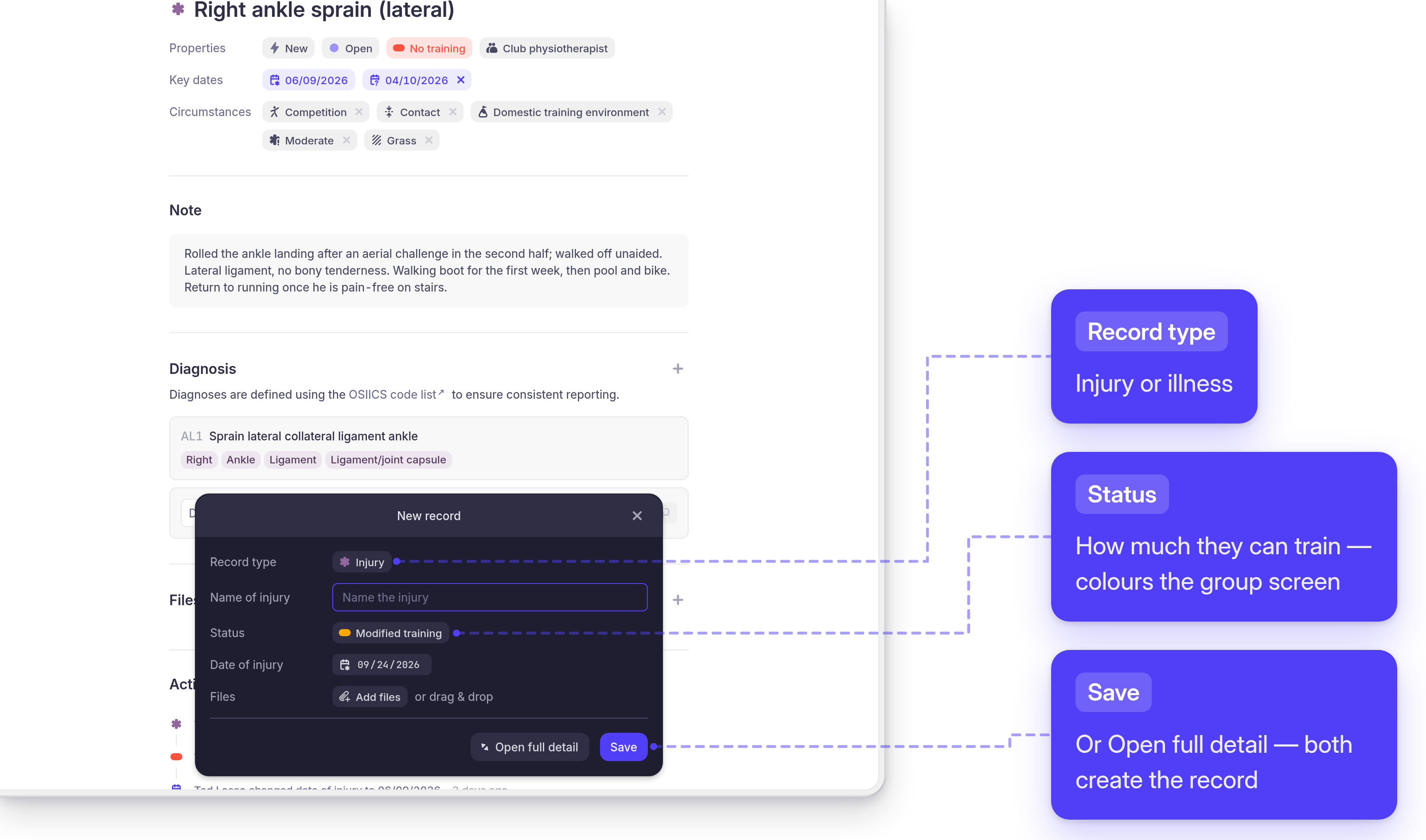
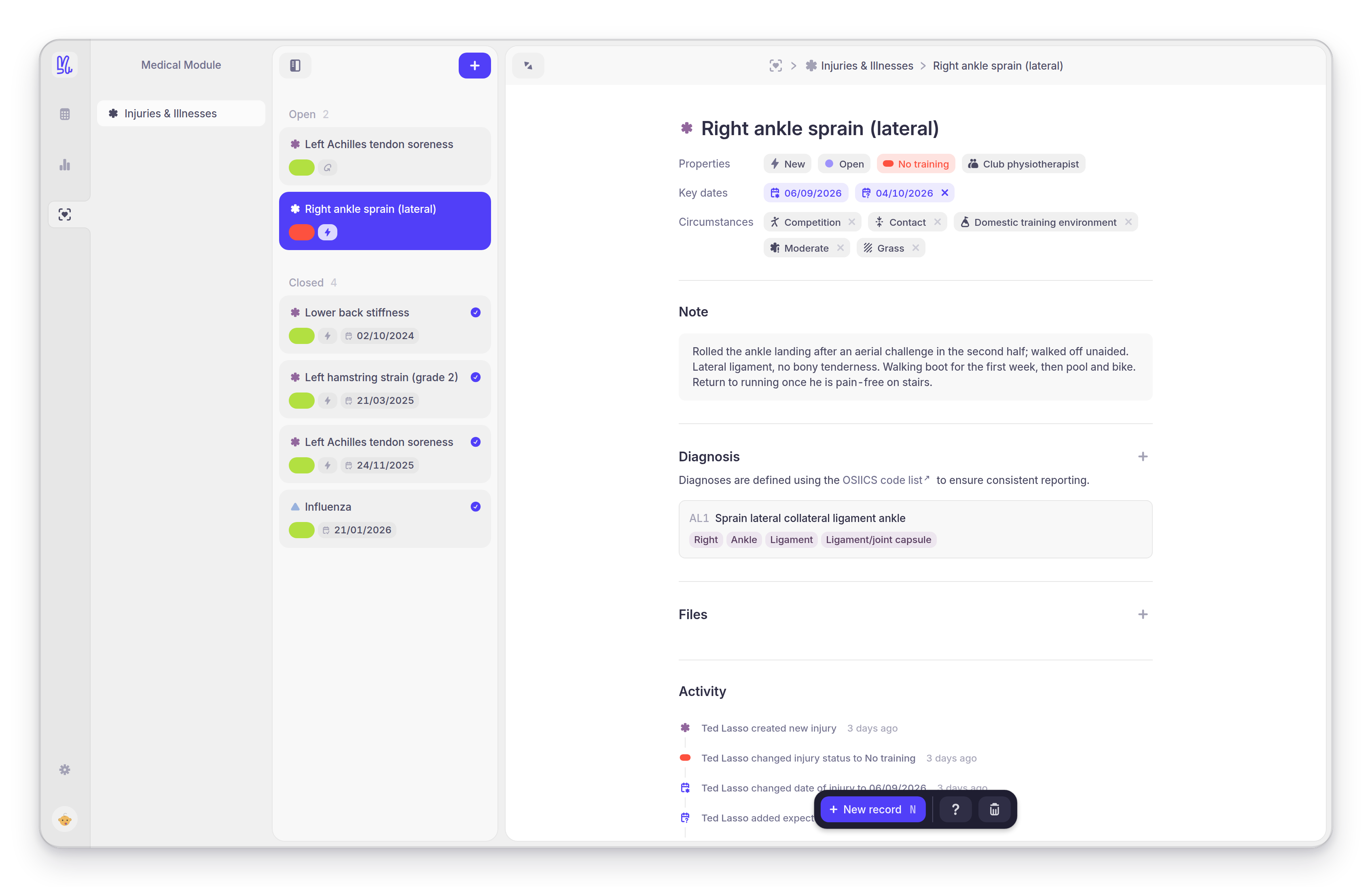
Every field on a record, in the order the record shows them. The first four sit together in the Properties row, the three dates under Key dates.
NameWhat the problem is, in the athlete's record and in every list — for example, "Right ankle sprain (lateral)". Click the title to rename it.
TypeInjury or Illness, chosen when you create the record. It sets the icon on the card, and it decides which half of the diagnosis codelist you search.
ClassificationDefault: NewNew or Recurring — the flag that makes a repeat problem visible as a pattern rather than as another isolated entry.
Treatment statusDefault: OpenOpen or Closed. Closing a record moves it to the Closed list.
Injury statusDefault: Modified trainingHow much the athlete can do right now: Full training or competition (green), Modified training or competition (amber), or No training or competition (red). This is the colour on the group overview.
Responsible staffThe staff member or institution looking after the problem. Free text.
Date of injuryDefault: TodayWhen the problem started.
Expected return to full trainingWhen you expect the athlete back. This is the date the group overview shows, and the one it turns red once it has passed. Clear it with the × if it stops being meaningful.
Closure dateStamped when you close the record, and editable afterwards.
CircumstancesOptional context for how it happened — Activity, Injury mechanism, Location, Severity, Surface. The values in each list are configured for your team: a football club might log mechanism, playing surface and severity from purpose-built lists, while another team has a different set or none at all.
NoteFree text — the mechanism, the treatment plan, what to watch for on the way back.
DiagnosisThe coded diagnosis, its Side (injuries only), and the body-region and structure tags that follow from it. See Code the diagnosis below.
FilesDocuments on the record: medical reports, X-ray and MRI images, physiotherapy plans.
ActivityThe automatic change log, and the comment box. See Track the return to training.
Code the diagnosis
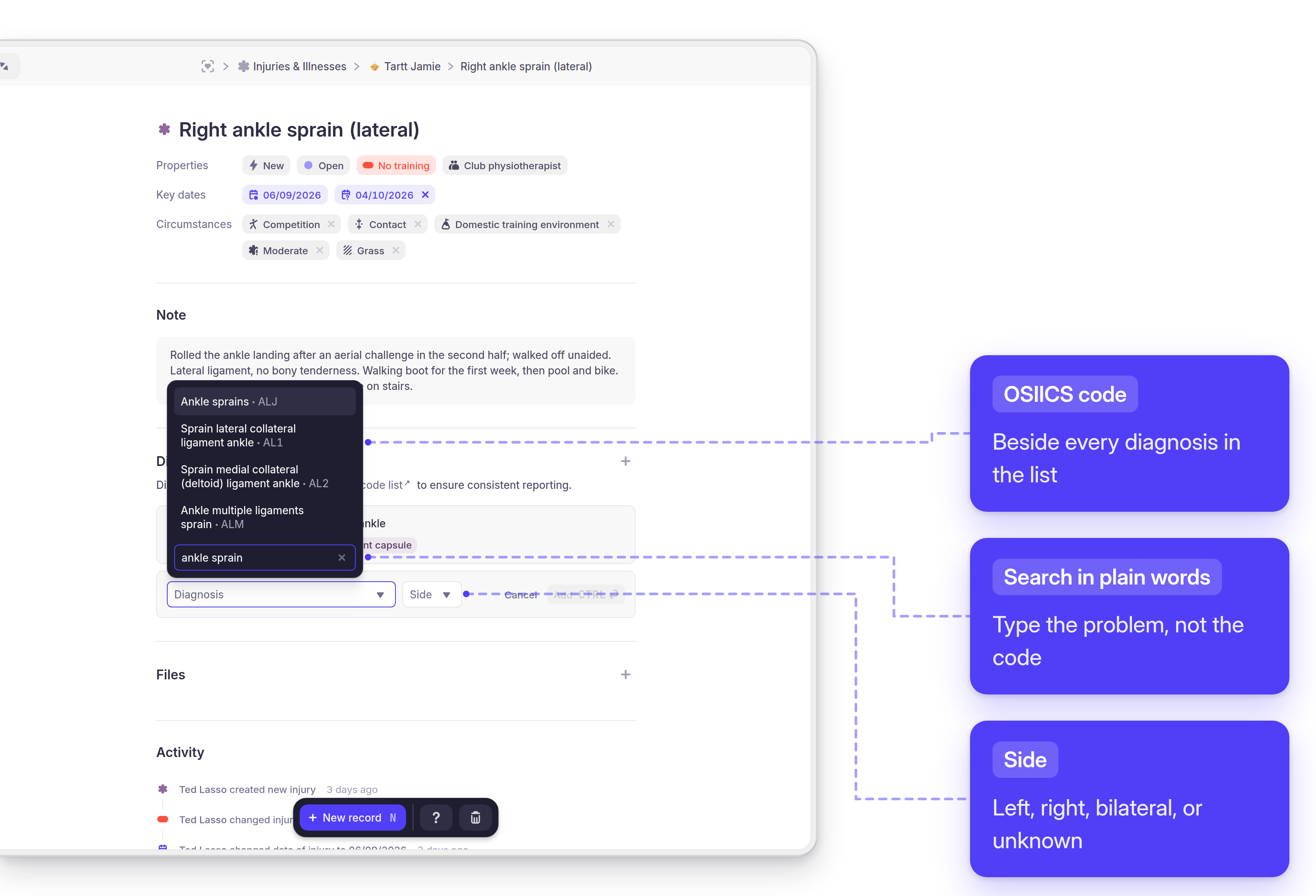
Add a diagnosis from the record's Diagnosis section. Type what you're looking for in plain
words — ankle sprain, tonsillitis — pick the entry from the list, set the Side if it's
an injury (an illness hasn't got one), and select Add, or press Ctrl ↵ (⌘ ↵ on a
Mac). Yarmill tags the record with the body region and structure that follow from the code, so
AL1 Sprain lateral collateral ligament ankle carries ankle and ligament without anyone
typing them.
The list is filtered by the record's type — injury codes for an injury, illness codes for an illness — and the record links straight out to the full OSIICS code list.
What OSIICS is, and why the code matters
OSIICS — the Orchard Sports Injury and Illness Classification System — is one of the
two coding systems aligned with the International Olympic Committee's consensus statement on
recording injuries and illnesses in sport. Each entry is a short code and a plain-language
diagnosis, built so the code carries the anatomy: an injury code starts with the body region
(AL1 is an ankle ligament), and illness codes all start with M (MPIT is tonsillitis).
A coded diagnosis stays comparable; free text doesn't. Ten people describing the same problem produce ten different strings, and a season of them can't be added up. Coded, the same problem reads the same years and staff changes later, a recurring ankle is recognisably the same ankle, and what you hand to a federation means what they mean by it.
It codes what the problem is, not how it happened or how bad it was — that's Circumstances and the key dates. And unlike the Circumstances lists, which are Yarmill's own and configured per team, the codelist is the same on every instance. That's the point of a standard. Its labels show in English as well as Czech; the code underneath doesn't change.
Track the return to training
Keep the Injury status current — it's the field the rest of Yarmill reads for availability. A typical recovery walks it back up: No training or competition while the athlete is out, Modified training or competition as they start doing some of the session, Full training or competition when they're available again. Move the Expected return to full training as the picture changes rather than leaving a date to go red.
Every change is logged automatically under Activity, with who made it and when — the status changes, the dates, the diagnosis, each circumstance. Use the comment box to add what the log can't infer: how the session went, what the consultant said.
Close a record, and the history it leaves
When a problem resolves, set its treatment status to Closed. Yarmill stamps the closure date, moves the record to the Closed list, and sets its Injury status to Full training or competition — so the athlete's availability updates without a second step.
A record that turns out not to be over can be reopened: set its treatment status back to Open and it returns to the open list.
Closed records stay in the athlete's Closed list, so the next flare-up of the same problem can be marked Recurring against something you can point at — the basis for preventing the next one rather than only managing this one.
Delete a record
Select the trash icon in the tool bar and confirm.
A problem that turned out to be nothing should be closed, not deleted — the record of what was suspected and ruled out is worth keeping.
What athletes see
Where their team allows it, athletes work with their own records — their Open and Closed lists, the full detail of each one, and Add record or New record to add a problem themselves after a doctor's visit, an X-ray, or an MRI.
On other instances the module isn't shown to athletes at all. Which one you have is a configured permission, so check your own setup before telling a squad to keep their records up to date.
How it connects
- The Injury status flows into Team daily readiness, where it sits alongside the day's wellness questionnaire and device recovery from integrations, so the morning overview already knows who's out — see Read team readiness.
- Illness and injury periods are shaded into the background of the recovery and training-load charts, so a dip in load or recovery is read against when the athlete was actually hurt.
- The Expected return to full training is a planning input, not a clearance: it tells you when to start rebuilding load, not that the athlete is available.
- Documents added to a record are stored with it, alongside the athlete's other files.