

Set an athlete's IBU ID
Link an athlete to their IBU race results by filling in their IBU ID on the athlete's card.
Yarmill matches each biathlete to the IBU results database (SIWIDATA) through their IBU ID. Fill it in once on the athlete's card, and Yarmill can connect the athlete to their race results and stats.
What the IBU ID is
Every athlete registered with the International Biathlon Union has a unique identifier — for
example BTCZE20301199701 for Marketa Davidova. Yarmill uses this ID to pair the athlete with
their IBU race data, so imported results and race analyses always refer to the right person.
Without it, the athlete's IBU results can't be linked to their Yarmill record.
Find the ID on biathlonworld.com
The ID is public — it's the last part of the athlete's profile address on the IBU website.
Go to biathlonworld.com and select BIATHLETES in the menu.
In the Search athlete field, start typing the athlete's name — for example "Davidova". Matching athletes appear as you type.
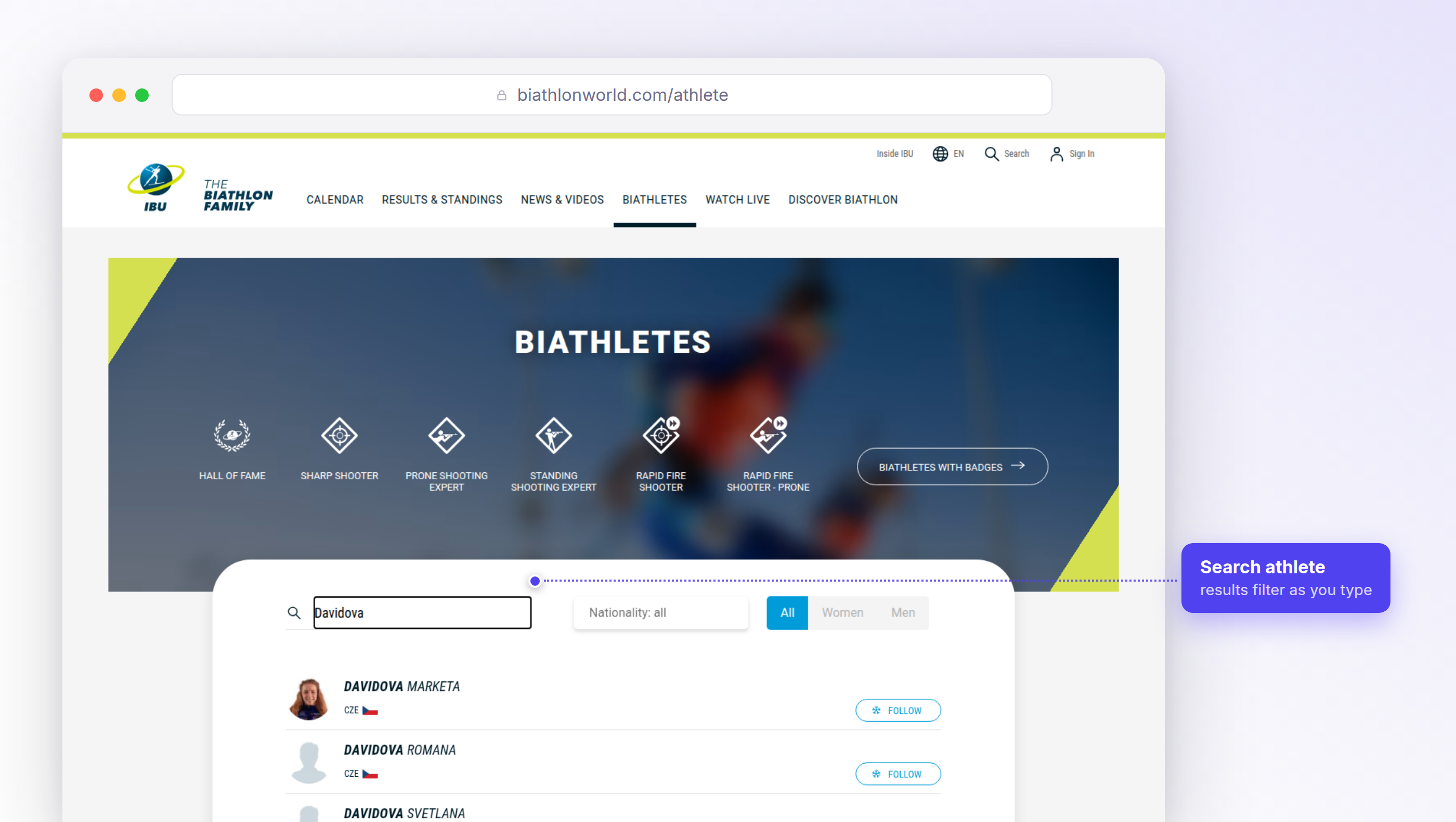
Select the athlete in the results list. If several athletes share a surname, check the first name and the nationality flag before opening the profile.
In your browser's address bar, the IBU ID is the part of the address after the last slash. Copy it.
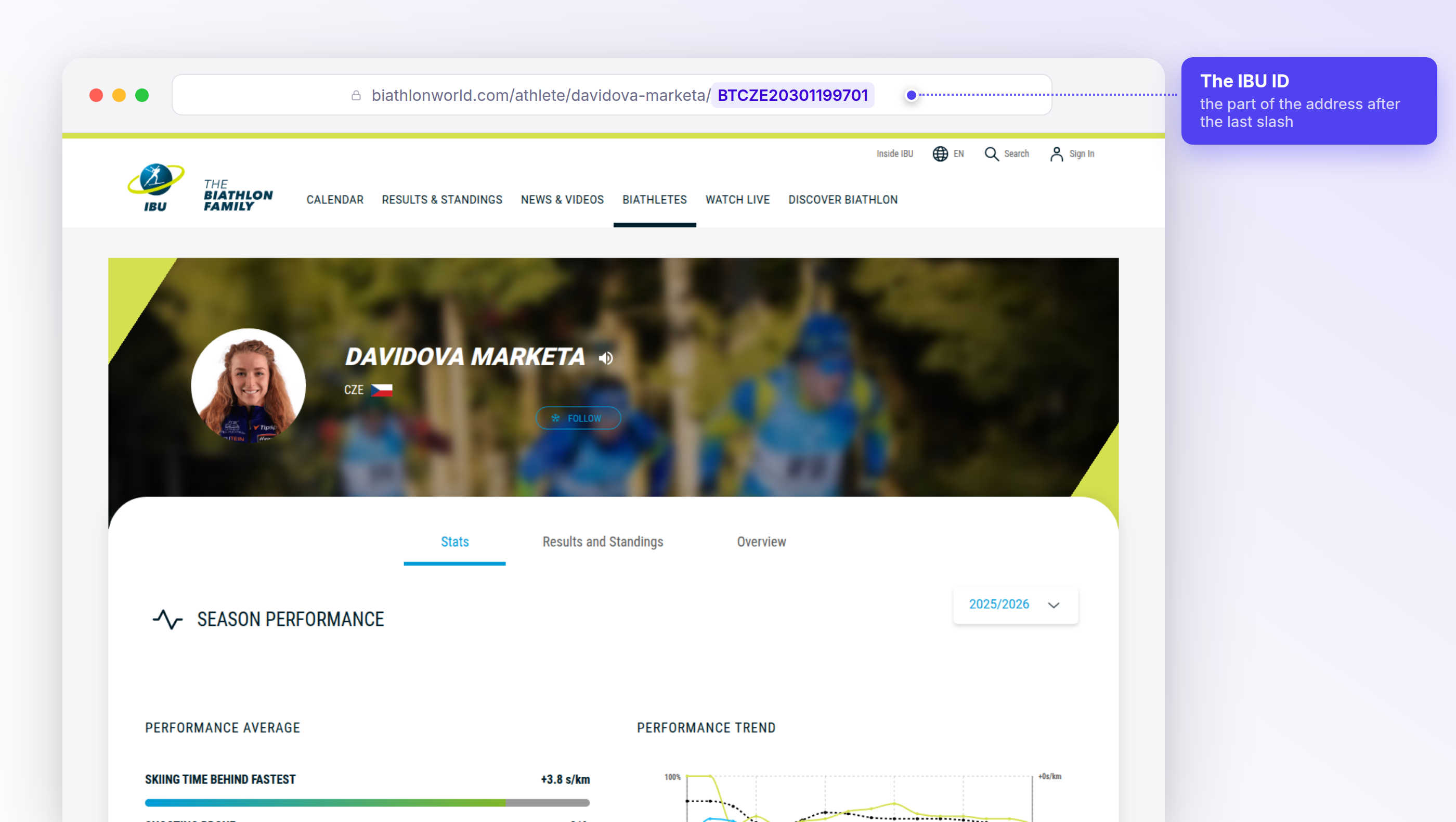
https://www.biathlonworld.com/athlete/davidova-marketa/BTCZE20301199701
                                                       ^^^^^^^^^^^^^^^^
                                                       the IBU ID
Prefer to watch? The whole lookup takes under half a minute:
Enter the ID in Yarmill
In Athlete profiles, open the card. As a coach or administrator, select the athlete from the group panel on the left; as an athlete, you land directly on your own card.
In Personal information, select the pencil next to IBU ID and paste the copied ID. Letter case doesn't matter — an ID copied in lowercase works too.
Next: Competition Results · Athlete profile · Logging shooting